
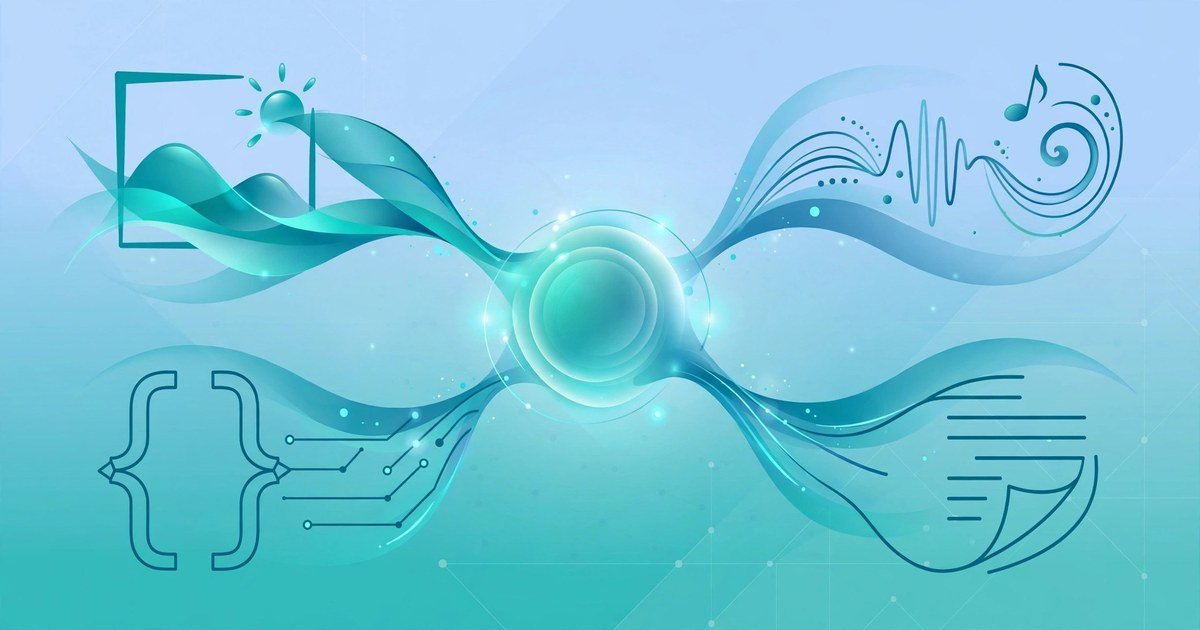
Generative AI is a type of artificial intelligence that creates new content. It can write text, draw images, compose audio, edit video and write code. It does this by learning patterns from large amounts of existing data, then producing new examples that follow those patterns. If you have used ChatGPT to draft an email, or an image tool to turn a sentence into a picture, you have already used generative AI.
The word that matters most is generate. Older AI systems mostly sorted, labelled or predicted things. A spam filter sorts your email. A recommendation system predicts which film you might like. Generative AI goes one step further. It makes something new. That new thing did not exist before you asked for it. This guide explains what generative AI is, how it works in plain English, what it can create, and where its limits lie.
The Simple Definition
Generative AI is software that produces new content from a prompt. A prompt is simply your instruction. You type a question, a description or a request, and the model produces an output that fits it. The output can be a paragraph, a picture, a song, a short video clip or a block of code.
Think of it like a very skilled apprentice. The apprentice has read millions of books, seen millions of pictures and heard millions of sounds. When you ask for something, the apprentice draws on everything it has seen and produces a new version. It does not copy one single source. It blends patterns it learned during training into something fresh.
That is also why two people can give the same prompt and get different results. The model samples from the patterns it learned. It picks the most likely next piece, one piece at a time, until the output is complete. Small changes in your prompt can lead to very different answers. Clear prompts give better results. Vague prompts give vague results.
One fact matters more than any other. Generative AI predicts what sounds right. It does not check its answer against the truth. That single point explains both its power and its biggest weakness. We return to it in the limits section below.
Generative vs Traditional AI
Traditional AI, sometimes called discriminative AI, answers a different kind of question. It looks at data and makes a judgement. Is this email spam or not? Does this photo show a cat? Will this customer leave? These systems classify, detect and predict. They work with what already exists.
Generative AI answers a creative question instead. Write a product description. Draw a logo idea. Summarise this report. Compose a reply to a customer. The output is new content, not a label or a score.
The two kinds of AI often work together. A traditional AI system might sort your photos by date and subject. A generative AI system might then turn the best photos into a short video with captions. A fraud system might flag a suspicious payment. A generative system might draft the message that explains the problem to the customer.
Here is a simple way to remember the difference. Traditional AI understands and sorts. Generative AI understands and creates. Both learn from data. Only one produces new content.
What It Can Create
Generative AI now covers five main kinds of content. Most people meet text first, but the other four are growing fast.
Text
Text tools write emails, articles, summaries, scripts, social media posts and code comments. They can change the tone of a draft, shorten a long report or turn bullet points into a finished paragraph. Writers use them for first drafts. Businesses use them for product descriptions and customer replies. Students use them to explain a hard topic in simple words.
Images
Image tools turn a written description into a picture. You describe the scene, the style and the mood, and the tool generates an image. Designers use them for quick mockups and mood boards. Marketers use them for social media graphics. Small businesses use them when a photo shoot would cost too much. The results can look striking, but small details still give them away. Hands, text inside images and reflections often look wrong.
Audio and music
Audio tools create voiceovers, sound effects and music. A podcast host can clone a consistent intro voice. A video maker can add background music that fits the length of a clip. Text to speech tools read articles aloud in a natural voice. Some tools can even produce a song from a few lines of lyrics.
Video
Video tools can turn a script into a short clip, animate a still image or remove background noise from a recording. They can also generate captions automatically and cut long videos into short clips for social media. Full length, realistic video is still harder than text or images, but short clips now look convincing.
Code
Code tools suggest the next lines of a program, explain what a block of code does or find a likely bug. Developers use them to move faster on routine work. Beginners use them to learn how a piece of code works. The tools save time, but a human still needs to test the code. Generated code can look correct and still fail.
How It Works in Plain English
You do not need maths to understand the basics. The process has four steps: training, learning patterns, prompting and generating.
First comes training. Developers feed the model a huge collection of examples. For a text model, that means books, articles, websites and code. For an image model, it means millions of pictures with captions. The model reads all of it. Training can take weeks or months on powerful computers.
Second, the model learns patterns. It adjusts billions of tiny internal settings, called parameters, until it can predict what comes next in the examples it has seen. For text, the key unit is the token. A large language model breaks text into tokens, which are chunks of words or parts of words, and learns which token usually follows another. It does not memorise whole pages. It learns the shape of language itself.
Third comes your prompt. When you type a request, the model reads it and uses it as the starting point. Your words set the topic, the style and the limits. A detailed prompt gives the model more to work with. A short prompt leaves more to chance.
Fourth, the model generates. It produces the output one piece at a time. For text, it predicts the next token, then the next, until the answer is complete. For images, it starts from noise and sharpens it step by step into a picture that matches your description. The model never looks anything up. It is not a search engine. It builds the answer from patterns it learned during training.
That is why the same question can get a different answer each time. The model chooses among likely options. Most tools let you control this with a temperature setting. Low temperature gives safe, predictable answers. High temperature gives varied, creative answers.
Popular Tools to Try
The best way to understand generative AI is to try it. Most of these tools have a free tier, so you can start without paying. Here are the names most UK beginners meet first.
For text, the best known tools are ChatGPT, Claude and Google Gemini. ChatGPT is the most widely used chatbot. Claude is popular for long documents and careful writing. Gemini works closely with Google services such as Gmail and Docs. Microsoft Copilot brings similar features into Word, Excel and Outlook. If you want the detail, our guide to how ChatGPT works explains the steps behind a chatbot answer in plain English.
For images, Midjourney is known for artistic, detailed pictures. DALL-E, built into ChatGPT, is easier for beginners because you can describe an image in a normal chat. Adobe Firefly suits people who already use Adobe tools. Canva includes simple image generation inside its design editor.
For audio, ElevenLabs produces natural sounding voices from text. For video, tools such as CapCut, Descript and Runway add AI editing, captions and clip generation to normal editing. For code, GitHub Copilot suggests code inside your editor as you type.
Start with one tool, not five. Pick the task you actually need, such as drafting emails or making social media images. Use the free tier for a week. Then judge it on your own work, not on adverts. A tool earns its place only if it saves you real time.
Limits and Risks
Generative AI is useful, but it has clear limits. Knowing them keeps you safe.
The biggest limit is accuracy. A model can state a false fact with total confidence. Researchers call this AI hallucination. It happens because the model predicts likely words, not true facts. It can invent names, dates, quotes and sources. Never publish an AI answer about facts without checking it. Treat every factual claim as a draft, not a source.
The second limit is freshness. A model only knows what it learned during training. It may not know about events after its training date. Some tools now search the web to fill this gap, but not all do. Check the date of the information before you rely on it.
The third limit is bias. Training data reflects the world as it was written, including its unfair patterns. A model can repeat stereotypes or favour one group over another. Read outputs with a critical eye, especially when they describe people.
The fourth limit is privacy. What you type into a free AI tool may be stored and used to improve the service. Do not paste passwords, bank details, medical records or other people’s personal data into a chatbot. Use a work account for work, and keep sensitive material out of prompts.
The fifth limit is ownership. The law around AI generated content is still settling. In the UK, the rules depend on how much human input went into the work and on the terms of the tool you used. Check the terms before you sell or publish AI generated work as your own.
None of these limits means you should avoid the tools. They mean you should stay in charge. You are the editor. The model is the draft writer. That is the safest way to use it.
Practical Tips for Beginners
Good results come from good prompts. These five tips work with almost every tool.
Be specific. Say what you want, who it is for and how long it should be. “Write a friendly reply to a customer who asked about delivery times” beats “write a reply” every time.
Give context. Paste the background the model needs. A short brief, a tone guide or an example of your style will improve the output at once.
Ask for a structure. Tell the model to use headings, bullet points or a table. Structured outputs are easier to check and edit.
Iterate. Treat the first answer as a draft. Ask the model to shorten it, simplify it or try a different tone. Two or three rounds usually beat one long prompt.
Check everything. Read the output line by line. Verify names, dates, prices and claims. Fix errors yourself. Your name goes on the final version, so your judgement matters most.
Frequently Asked Questions
What is generative AI in simple terms?
Generative AI is software that creates new content, such as text, images, audio, video or code, from patterns it learned during training. You give it a prompt, and it produces a new output that fits that prompt.
Is generative AI the same as ChatGPT?
No. ChatGPT is one example of generative AI. It is a chatbot built on a large language model. Generative AI is the wider category, and it also includes image generators, voice tools, video editors and code assistants.
Can generative AI think like a human?
No. A model does not understand meaning the way a person does. It predicts likely patterns based on training data. It can produce fluent, useful text without knowing whether the text is true.
Is generative AI free to use?
Many tools have a free tier with limits on how much you can generate each day. Paid plans usually remove those limits and add faster speeds, better models and commercial rights. Start with a free tier and upgrade only when you hit a real limit.
Will generative AI replace my job?
It is more likely to change your job than to remove it. Generative AI handles routine drafts, summaries and first versions well. It still needs a human to judge quality, check facts and make decisions. People who learn to use it well will have an edge over people who ignore it.
Conclusion
Generative AI is a tool that creates new content from learned patterns. It writes, draws, speaks and codes by predicting what comes next. It is fast, flexible and easy to start with, but it does not check facts and it does not understand truth. That is why the human stays in charge.
Start small. Pick one task, try one free tool, and judge the results on your own work. Write clear prompts, check every fact, and keep sensitive data out of your chats. Used that way, generative AI becomes a useful assistant for writing, design and everyday work, not a replacement for your judgement.