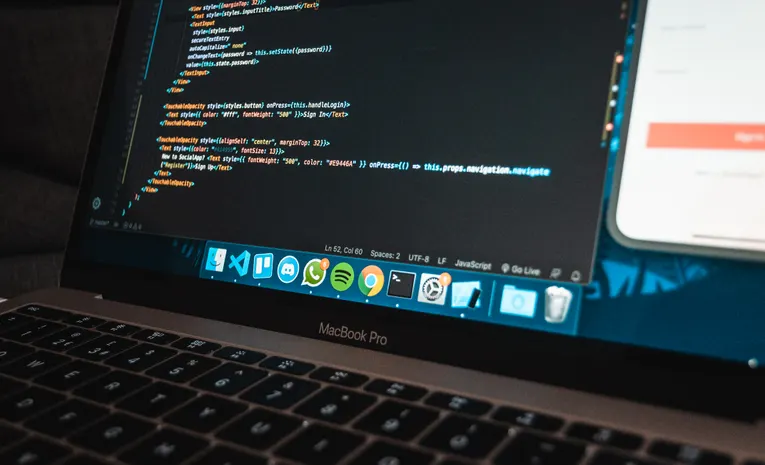
What “Natively” Building an App Actually Means
A growing category of AI app builders focuses specifically on producing true native mobile apps, rather than web apps wrapped to look like mobile apps, or cross-platform frameworks with compromises. These platforms generate real Swift (iOS) or Kotlin (Android) code, or use frameworks like React Native and Expo that compile down to native performance, rather than relying on webviews or progressive web apps.
The distinction matters because native apps offer smoother animations, full access to device features such as camera, GPS, biometrics, and push notifications, and better offline support compared to web-based alternatives dressed up as apps.
How AI-Native Mobile App Builders Work
Prompt-to-App Generation
A user describes the app in plain language, and the platform generates the frontend, backend integration (authentication, database, storage), and app-store-ready builds, often with a real-time preview on simulated devices.
True Native Code Output
Rather than cross-platform shortcuts, these platforms generate actual Swift or Kotlin code, or use React Native/Expo, so the resulting app compiles to native code and behaves like an app built by a traditional development team.
Ownership and Code Export
Many platforms in this category let users export and own 100% of the generated source code, either editing it directly, extending it with a developer later, or hosting it on their own infrastructure without platform lock-in.
What This Category Solves
| Problem with older approaches | How native AI builders address it |
|---|---|
| Web apps disguised as mobile apps (PWAs/webviews) | Generate true native or React Native/Expo code that compiles natively |
| Traditional native development taking months | AI generates a working app in minutes to days |
| Needing a developer to publish to app stores | Guided submission or one-click builds for App Store/Google Play |
| Vendor lock-in with no code access | Full source code export and ownership on many platforms |
What to Check Before Choosing an AI-Native App Builder
- Confirm whether the output is genuinely native/compiled code, not a webview dressed as an app
- Check whether backend features (auth, database, storage) are included by default or need separate setup
- Look at the actual app store submission process, including any developer account fees involved (Apple charges an annual developer fee; Google typically a one-time fee)
- Confirm code export and ownership terms if long-term independence from the platform matters
- Test with a small, real feature rather than judging from marketing screenshots alone
Frequently Asked Questions
Is an AI-built native app as good as one built by a traditional developer?
For many common app types, yes in terms of performance and device access, since the underlying code compiles the same way. Highly custom or complex apps may still benefit from developer involvement to extend the AI-generated foundation.
Do I need an Apple or Google developer account to publish?
Yes. Publishing to the App Store requires an Apple Developer account (an annual fee applies), and Google Play typically requires a one-time registration fee, regardless of which app builder generated the code.
What is the difference between a native app and a cross-platform app?
A fully native app is built with platform-specific code (Swift for iOS, Kotlin for Android), while cross-platform frameworks like React Native compile a shared codebase to near-native performance on both platforms, which is faster to build but can involve minor trade-offs.
Can I own the code an AI native app builder generates?
This depends on the platform. Many now offer full code export to services like GitHub, while others keep the app tied to their own infrastructure, so this is worth confirming before committing to a platform for a long-term project.
How to Test Code Ownership in 10 Minutes Before You Commit
Code ownership is the question that decides whether your app is an asset or a rental. Three builders pass the test clearly. FlutterFlow gives full Flutter code export, with code download from the Basic plan and GitHub sync on higher plans. Draftbit gives full React Native code export and is cited as the cheapest real code export, from 12 dollars a month Standard in one source. Rork generates native Swift for iOS and Kotlin for Android, with GitHub sync on paid plans from 20 dollars a month. Two builders fail it. Adalo has no standard code export, and source code is available only as a separate, separately priced service on request. Thunkable has no code export listed on any plan. GoodBarber produces native Swift and Kotlin output but no code export, and Appy Pie and BuildFire also keep the code. Here is the 10 minute test. Open the pricing page and search for code export. If it is not listed on any plan, assume you cannot leave with the code. Then open the docs and check the database. FlutterFlow needs Firebase or Supabase, which you control. Adalo uses a built in relational Postgres database, which you do not.
Owning exported code is not the same as being able to leave. The backend, database, auth, hosting, custom domain, SSL and the AI editing loop often stay behind. Lovable now syncs to GitHub on every plan including free, and states you are never locked in, but leaving Lovable Cloud still means exporting data and rebuilding the schema elsewhere. One reported case involved 189 database tables and 500 users stuck in a managed backend. Another involved 12 GB of data locked for four days after a false positive moderation flag, with export offered only as table by table CSV downloads. Ask three questions before you build. Do I own the source code. Do I own the data and the database. Can I run the app without the vendor. If the answer to any of them is no, price the exit cost into your decision, not just the monthly fee.
From Prompt to Published App: A Booking App Worked Example
Take one concrete app and walk it through. A booking app for a small salon needs six screens: home, services, booking calendar, customer details, confirmation and admin. It needs four database tables: services, staff, bookings and customers. It needs auth for customers and staff, payments for deposits, and push notifications for reminders. Start with the prompt. Describe the app in plain language, name the screens and the tables, and state the rules, such as no double booking and a 24 hour cancellation window. The AI builder will generate the first version in minutes. Expect to fix it by hand. Common fixes are the calendar logic, the time zone handling and the payment flow. Budget a full day for testing, not an hour.
Then comes publishing. The first year cost is the builder plan plus 99 dollars a year for the Apple Developer Program and 25 dollars one time for the Google Play Console. New apps must be submitted as an Android App Bundle, not an APK. Apple review is fast, with at least 50 percent of submissions decided in under 24 hours and 90 percent in under 48 hours. Google Play review typically takes a few days. New personal Google Play accounts must run a closed test with at least 12 testers opted in for 14 consecutive days before applying for production access. Build that fortnight into your launch plan. Apple also charges 15 to 30 percent commission on in app purchases, with 15 percent under the Small Business Program for developers earning under 1 million dollars a year. Two 2026 rules to check before you submit: apps must be built with the iOS and iPadOS 26 SDK or later from April 2026, and must target Android 16, API level 36. If your builder has not updated its build pipeline, your submission will be rejected before a human ever sees it.
Will Apple reject my AI built app under Guideline 4.2?
It can, if the app is just a repackaged website. Apple Guideline 4.2, Minimum Functionality, requires an app to include features, content and UI that elevate it beyond a website. One cited analysis puts insufficient native functionality at about 45 percent of no code rejections and being literally just a web wrapper at another 25 percent. Webview wrappers are riskiest. Compiled Flutter and React Native apps are safer. Pure Swift is presented as the gold standard for review compliance. Give your app real native function, such as offline access, push notifications or device features, and it will usually pass.
If I stop paying, does my app keep working?
Usually not, and the details depend on the builder. With FlutterFlow or Draftbit, you own the exported code, so a developer can host it elsewhere, but the database, auth and push setup must be rebuilt. With Adalo, Thunkable or GoodBarber, there is no code to take, so the app stops when the subscription stops. With Lovable, the code syncs to GitHub, but the managed backend and database stay behind. Before you build, check what happens on cancellation in the terms, and keep a regular export of your data and your code.
Final Thoughts
AI-native mobile app builders have closed much of the gap between “no-code prototype” and a genuinely native, store-ready application, with some platforms now offering full code ownership and true native performance. The category is still maturing, so testing a platform on a real, small feature and confirming code export terms matters more than judging from a polished landing page alone.
Related reading: How to Build an App Without Coding and Anything AI (Create.xyz).
About the author: The AI Uptrend editorial team covers AI tools, platforms, and industry trends to help readers evaluate new technology with a clear, practical lens.