
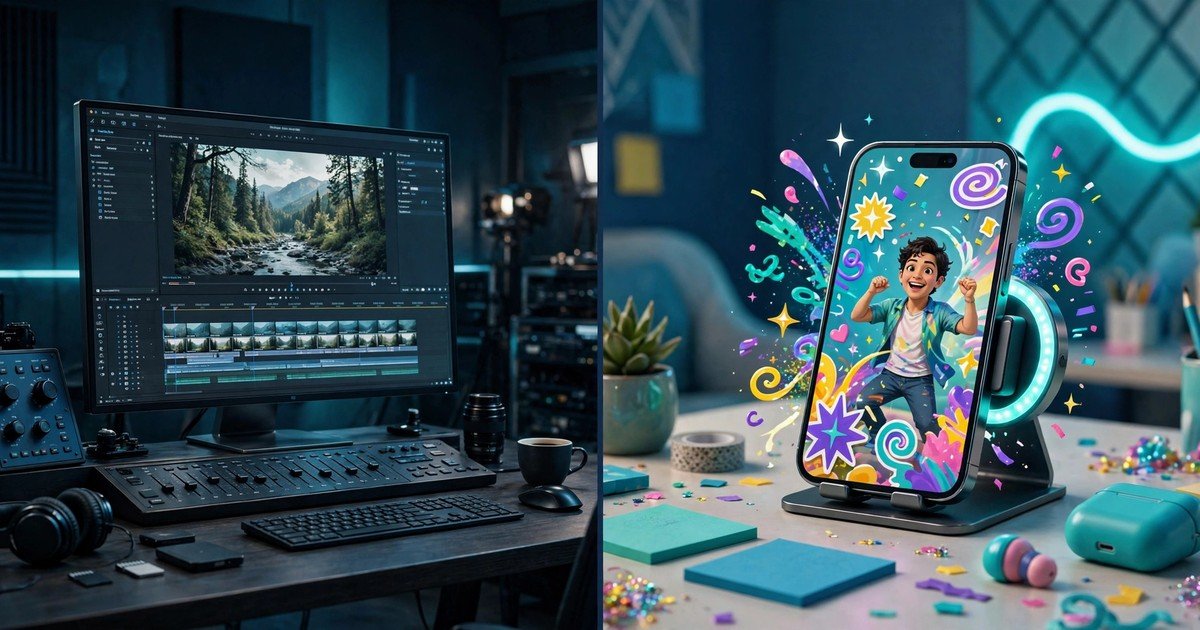
Runway vs Pika: Which AI Video Generator Should You Choose?
Runway is the better pick for commercial video work, and Pika is the cheaper pick for quick social clips. That is the short version. The longer version depends on what you make, who you make it for, and whether you need to sell the result.
Both tools turn text and images into short video clips. Both charge monthly subscriptions in US dollars. Both have a free tier. Yet they serve different users. Runway is a full video platform with an editing suite built around its Gen-4.5 model. Pika is a fast generator built for playful, effect-driven clips. This guide compares them on quality, speed, pricing, and commercial rights, so you can pick the right one in 2026.
The short answer
Choose Runway if you make videos for clients, YouTube, or ads. Its Gen-4.5 model produces polished, realistic clips, and its editing tools let you extend, restyle, and clean up a shot without leaving the app. Commercial use is allowed on every paid plan, including the cheapest one.
Choose Pika if you make short clips for TikTok, Reels, or personal projects. Its entry plan costs less, its templates and effects make fun clips fast, and its 1080p output on paid tiers looks good on a phone screen. Just know that commercial use starts on the Creator plan, which costs 35 dollars a month.
| Runway | Pika | |
|---|---|---|
| Flagship model | Gen-4.5 | Pika 2.5 |
| Entry paid plan | Standard, 15 dollars a month | Starter, 10 dollars a month |
| Free plan | 125 one-time credits | Limited monthly credits, watermarked |
| Commercial use | All plans | Creator plan and above |
| Best for | Client work, YouTube, ads | Social clips, experiments, fun |
Video quality and realism
Runway Gen-4.5 is the stronger model for realistic footage. It handles natural motion, lighting, and camera movement well, and it produces clips of 2 to 10 seconds that hold up on a large screen. Higher tiers add professional output options, including HDR in ProRes and EXR formats for post-production work. If your video will play on YouTube or in a client presentation, this matters.
Pika 2.5 is built for a different look. It makes bright, lively clips with strong motion, and it shines on effects and playful styles rather than cinematic realism. Paid tiers generate at 1080p, which is plenty for social feeds. On a phone screen, a good Pika clip looks sharp and fun. On a big screen next to a Runway clip, the difference in polish shows.
Neither tool adds native audio to generated clips, so plan for sound separately. If you want still images to animate, our guide to the best free AI image generators you can use without signing up is a good starting point.
As AI video gets more realistic, it also helps to know how to spot AI generated images. The same checks apply to video: look at hands, text, reflections, and motion that feels too smooth.
Speed and workflow
Pika is faster to your first clip. Pick a template or effect, type a short prompt, and you get a result in well under a minute in most cases. The interface is simple, and the effects library does much of the creative work for you. That makes it ideal when you want ten quick clips for a social account and you do not want to learn an editor.
Runway is slower per clip but stronger as a workflow. You generate a shot, then extend it, restyle it, or fix a detail inside the same platform. Runway also hosts outside models alongside its own, so one subscription covers more than Gen-4.5. If you edit video already, this feels natural. If you have never edited video, expect a short learning curve.
Both tools charge credits per second of video, and failed renders still cost credits. Budget for two or three attempts per finished clip, not one. That habit saves more money than any plan choice.
Pricing and commercial rights
Prices below come from both vendors’ pricing pages, checked in October 2026. Both bill in US dollars. Annual billing cuts the monthly price by about 20 percent on both services.
| Plan | Runway | Pika |
|---|---|---|
| Free | 125 one-time credits | Limited credits, watermarked output |
| Entry | Standard, 15 dollars a month (12 dollars yearly) | Starter, 10 dollars a month (8 dollars yearly) |
| Mid | Pro, 35 dollars a month (28 dollars yearly) | Creator, 35 dollars a month (28 dollars yearly) |
| Top solo | Max, 95 dollars a month (76 dollars yearly) | Fancy, 95 dollars a month (76 dollars yearly) |
The mid and top tiers cost exactly the same on both platforms. The difference is what the money buys. Runway Pro gives 2,250 credits a month, which Runway says covers about 187 seconds of Gen-4.5 video. Pika Creator gives 3,150 credits, but its flagship model costs more credits per second, so the same money buys fewer finished seconds on Pika at 720p.
The commercial rights gap matters more than the price gap. Runway allows commercial use of outputs on every plan, including Standard at 15 dollars a month. Pika grants a commercial licence only from the Creator plan at 35 dollars a month. Cheaper Pika plans also exclude watermark-free downloads. So a freelancer who sells videos to clients pays at least 35 dollars a month on Pika, but can start at 15 dollars on Runway.
One more cost to watch: Pika charges the same credits per dollar on every tier, while Runway gives more credits per dollar as you climb. Heavy users get better value from Runway Max than from Pika Fancy, even though both cost 95 dollars a month.
Which one fits your use case?
Client work and ads. Runway. Better realism, commercial rights on the cheapest plan, and an editing suite that keeps you in one app.
YouTube videos. Runway. The quality holds up on larger screens, and the ability to extend and restyle clips fits a channel workflow.
TikTok and Reels. Pika. Fast, fun, effect-driven, and cheap. The 1080p output on paid tiers looks great on phones.
Personal experiments. Pika Starter. Ten dollars a month buys plenty of clips for learning and play.
Learning AI video. Try both free tiers first. Runway gives you 125 one-time credits to test Gen-4.5. Pika gives a small monthly allowance to test its effects. Then pay for the one that matches the clips you actually make.
New to the tech behind these tools? Read what generative AI is first. It explains how models like Gen-4.5 and Pika 2.5 turn your words into video. And if you need still images to animate, our guide to the best free AI image generators you can use without signing up is a good starting point.
Worth a mention: Kling is a strong third option in 2026, with cinematic motion at a similar price to Pika. If neither Runway nor Pika fits, Kling is the next tool to test.
Frequently asked questions
Is Runway better than Pika?
For commercial and polished work, yes. Runway Gen-4.5 produces more realistic clips, and its editing suite and commercial rights on all plans suit professional use. For quick social clips and fun effects, Pika is the better and cheaper choice.
Can I use Pika videos commercially?
Only on the Creator plan (35 dollars a month) and above. The Starter plan and the free tier do not include a commercial licence or watermark-free downloads. Runway allows commercial use on all plans, including Standard.
Is there a free version of Runway or Pika?
Yes, both have free tiers. Runway gives 125 one-time credits. Pika gives a small monthly credit allowance with watermarked output. Neither free tier suits commercial work.
Which is cheaper per second of video?
It depends on the model and plan. Pika can be cheaper per second on its lower-cost models, while Runway gives more seconds per dollar on its higher tiers. Check the credit cost of the exact model you plan to use, then divide by your plan price.
Do Runway and Pika add watermarks?
Free tiers add watermarks. Paid plans remove them, except that Pika only offers watermark-free downloads from the Creator plan upward. Runway removes watermarks on all paid plans.
Conclusion
Runway vs Pika is not a close call once you know your use case. Pick Runway for client work, YouTube, and anything you sell. Pick Pika for fast social clips and personal projects on a small budget. Both are strong tools in 2026, and both offer free tiers, so test them with your own prompts before you pay. The right choice is the one that fits the videos you actually make.